
Studio
$995
per monthFor a project or two.
- $1.99 a render
- 500 credits a month
- 500 uploads
- 10 GB of image storage
- 3 seats
- Cancel any month
Turn pavers, stone, gravel, mulch and plants into 4K yard scenes in seconds. Zero heavy hauling or photoshoots.
† Under a minute is the average render time: most renders finish in about 20 to 60 seconds. Times vary with the image and demand and are not guaranteed; building a new room from a description takes a few minutes.
 Bluestone
 Granite
 Limestone
 Molded concrete
 Porcelain
 Sandstone
 Slate
 Terracotta
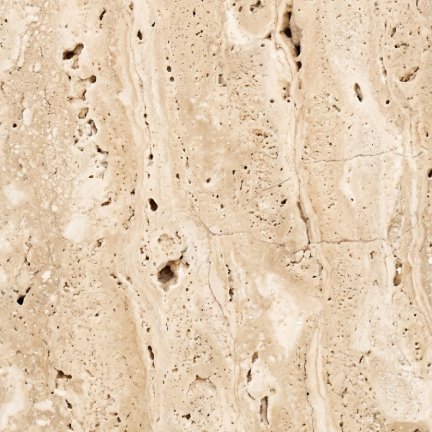 TravertineBluestoneGraniteLimestoneMolded concretePorcelainSandstoneSlateTerracottaTravertine
A few products get the orders while the rest sit on pallets and in nursery rows, paid for and unsold. It's revenue you never see, cash stuck in your yard, and doubt about a line you know is good.
Skip builds and weather delays; render all pavers, stone, gravel, mulch and plants in 4K.

Patio pavers
Available in 20 finishes
You picked: Travertine. Never photographed.
19 of 20 finishes were never photographed.
Try another finish.
Upload any material sample for instant and sun-lit photorealistic 4K yard scenes.
Good to know: Uploading your own yard is completely free. Each product placement uses one credit, automatically replacing ground, pavers, or plants in your scene.
† Under a minute is the average render time: most renders finish in about 20 to 60 seconds. Times vary with the image and demand and are not guaranteed; building a new room from a description takes a few minutes.
Every finish gets a room image of its own, so shoppers find the one they came for and your stock keeps turning over.
From sample to room image
* Under $1 a render is the Pro price: $0.99 a render billed monthly, or $0.95 billed annually, from 1,500 credits a month. Studio is $1.99 a render, or $1.95 billed annually.
† Under a minute is the average render time: most renders finish in about 20 to 60 seconds. Times vary with the image and demand and are not guaranteed; building a new room from a description takes a few minutes.
A render that fails costs nothing. Its credit goes straight back to your workspace, and you never file a ticket. One credit is one finished 4K render.
For a project or two.
The credits you need each month, for high-volume brands and agencies.
For the largest catalogs, with a plan set up around yours.
Prices exclude applicable tax.
Not sure which plan? Take the catalog quiz.
* Under $1 a render is the Pro price: $0.99 a render billed monthly, or $0.95 billed annually, from 1,500 credits a month. Studio is $1.99 a render, or $1.95 billed annually.
They shouldn't. Each is built as separate pieces with real depth: pavers stand proud of their joints and show their edges, and gravel, pebbles and mulch heap with gaps that hold shadow, all lit by the scene's own sun.
Yes, in a scene made around it. A bulk render relays ground or swaps a plant your scene already has, so for a bed where there's lawn today, describe the yard you want and Skip Shoot builds it with a spot for your product.
Enter a plant's mature height and spread, and each render sizes it against the doors, steps and fences in the scene. Without them, a render uses typical sizes for that kind of plant. Check every render against the real plant before you publish.
No. A flat image of each paver, stone or ground cover, or a clear image of the plant, is all a render needs.
They travel over encrypted connections, you own what you upload and every render you make, and we never train AI on them. Our Privacy Policy (section 8) says how Google handles the pictures it analyses.
One render is one image Skip Shoot generates: making a room is one render, and each product you place in an image is one more. You see the count before you start.
A render that fails never costs a credit; the credit comes back to your workspace automatically. A render that completes has used its credit.
Yes. Upload a photo of your own room or showroom, which costs nothing, or describe one and Skip Shoot makes it for one render. Every room in your workspace is yours alone.
Add one script tag to let homeowners visualize your pavers, stone, and plants in their own yards in seconds.
† Under a minute is the average render time: most renders finish in about 20 to 60 seconds. Times vary with the image and demand and are not guaranteed; building a new room from a description takes a few minutes.
Talk to us
Invoices, purchase orders, a security review or help loading your catalog: tell us what you need, and a person will reply within two working days.
Rather start on your own? Pick a plan when you're ready.
Get started insteadStart today
Make a room. Pick your product. Export.